Learn how to create a QR code for free for websites, WiFi, and more with simple steps, tips, mistakes to avoid, and beginner-friendly advice.
QR codes have become one of the easiest ways to connect offline attention with online action. You can place one on a flyer, menu, poster, business card, product package, or storefront sign, and with a single scan, someone can instantly open your website, join your WiFi, view a file, or access an offer. That convenience is exactly why so many people want to create a QR code for free.
The good news is that you do not need technical skills or expensive software to get started. With a reliable free QR code generator, anyone can make a QR code in minutes. But if you want your QR code to work properly and actually get scanned, it helps to understand a few basics first. In this guide, you will learn how to make a QR code, when to use different QR code types, what to know about static vs dynamic QR code options, and how to avoid common mistakes.
Why QR Codes Are So Useful
QR codes remove friction. Instead of asking someone to type in a long URL, search for your brand, or manually enter a password, you give them a fast shortcut. That is why businesses, creators, restaurants, service providers, and even households use them every day.
You can use a QR code to:
- send visitors to a website
- share a landing page or product page
- display a digital menu
- let guests connect to WiFi
- share contact information
- open a payment page
- link to a form or booking page
- promote an offer or event
For most beginners, the biggest benefit is simplicity. You can create QR code online free and start using it almost immediately.
What a QR Code Actually Does
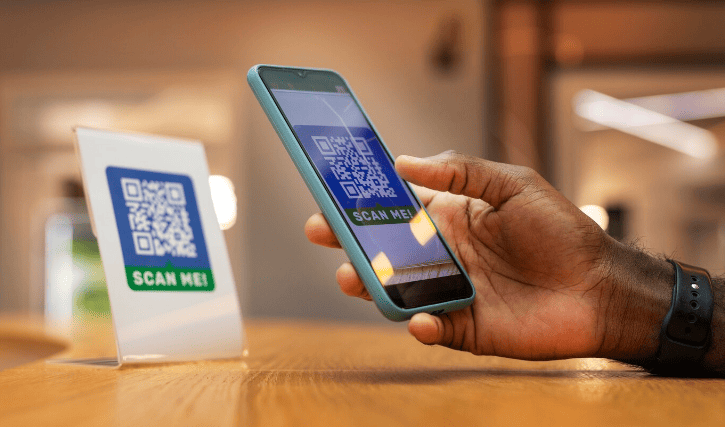
A QR code stores information in a format that smartphones can scan. When someone scans it with their phone camera, the device reads the code and opens the linked content. Most often, that content is a URL, but a QR code can also store contact details, WiFi login information, text, phone numbers, email data, and more.
That is what makes QR codes so flexible. A single tool can be used for marketing, customer service, networking, hospitality, events, and daily convenience.
How to Create a QR Code for Free
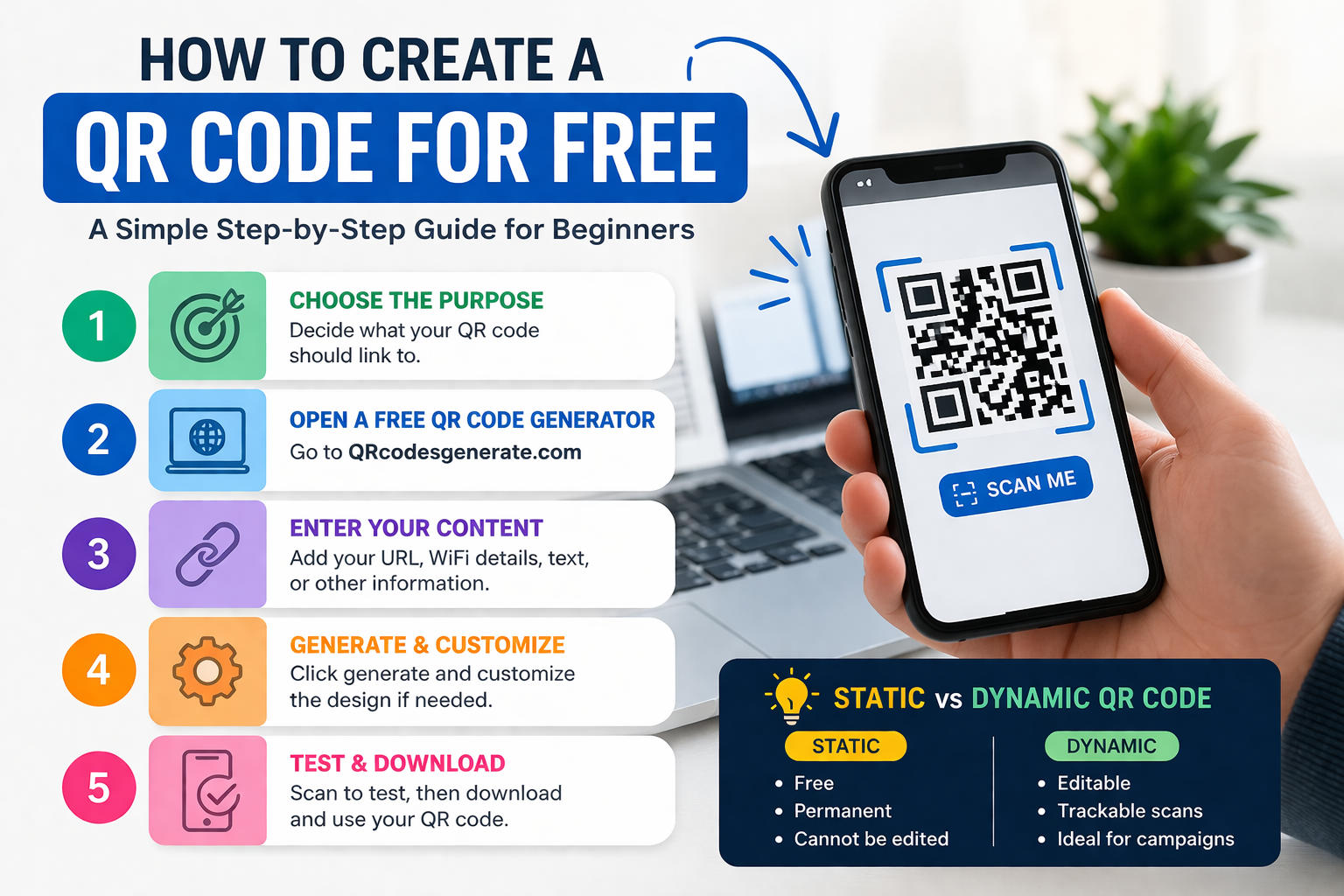
If you are wondering how to make a QR code, the process is much easier than most people expect. You choose what you want people to access, enter that information into a QR code tool, generate the code, test it, and then download it.
Step 1: Decide What the QR Code Should Link To
Start by being clear about the purpose. What do you want a person to see or do after scanning?
For example, you may want to create:
- a QR code for website traffic
- a QR code for WiFi access
- a QR code for a PDF menu
- a QR code for contact details
- a QR code for a booking form
- a QR code for a product or service page
The clearer the goal, the better the result. A QR code works best when it points to one useful destination.
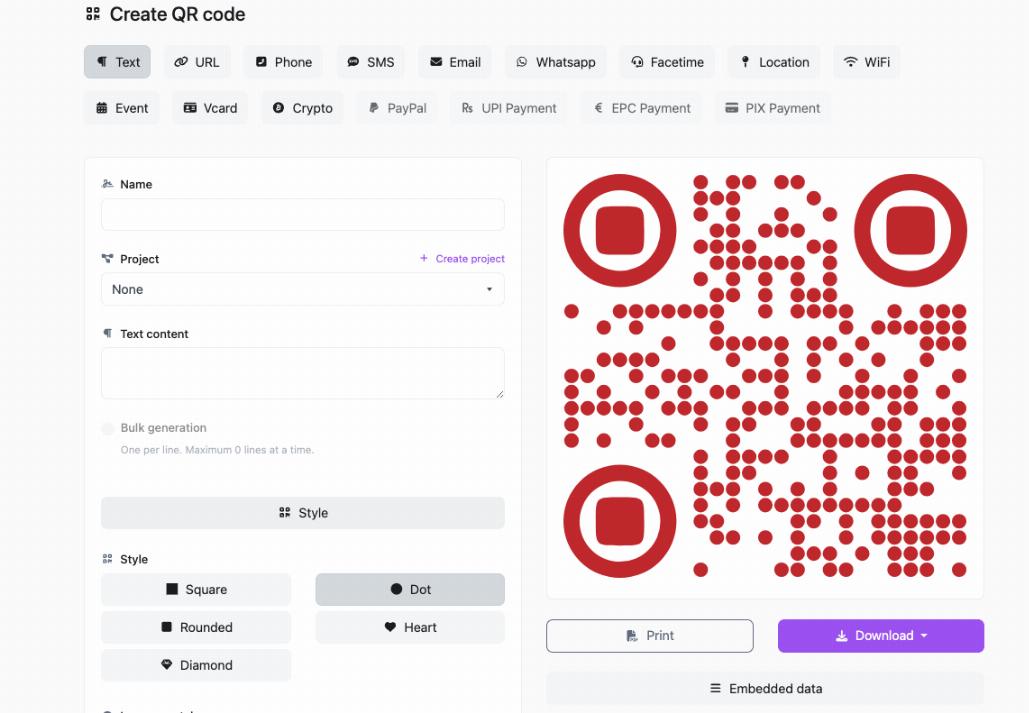
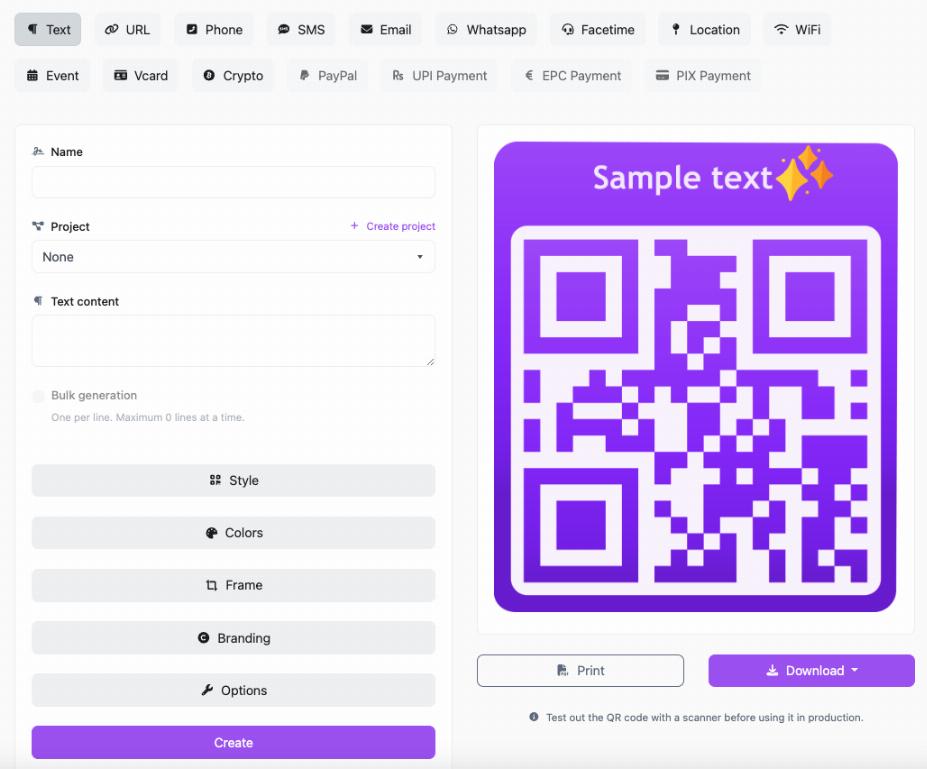
Step 2: Use a Free QR Code Generator
Next, choose a trusted free QR code generator. A platform like QRcodesgenerate.com makes the process simple for beginners who want to generate QR codes quickly without dealing with a complicated setup.
A good QR code tool should be easy to use, fast, and flexible enough to support different QR code types. The goal is to make the process simple while still giving you a code that scans reliably.
Step 3: Enter Your Content
Now enter the information you want the QR code to contain. This might be a website link, WiFi credentials, contact details, or another content type depending on your goal.
If you are making a QR code for website use, add the exact page you want people to land on. Do not send them to a general page if a more specific page would be more useful. If a poster promotes one offer, the QR code should open that exact offer.
If you are making a QR code for WiFi, enter the network name, password, and security type carefully. One small error can prevent people from connecting.
Step 4: Generate the QR Code
Once your content is ready, click generate. The tool will create the code instantly. Many platforms also allow some customization, such as changing colors or adding a frame. These options can be helpful for branding, but do not overdesign the code. Function matters more than style.
Step 5: Test the QR Code Before Using It
This step is essential. Always scan the code before downloading or printing it. Then test it again on another phone if possible.
Make sure:
- it opens the correct destination
- the linked page works on mobile devices
- the content loads quickly
- nothing is broken or outdated
Testing is one of the simplest ways to avoid wasted prints, broken user experiences, and missed conversions.
Step 6: Download and Place It Where People Will Use It
After testing, download the code and use it where it makes sense. You can place it on menus, flyers, posters, packaging, business cards, invoices, table displays, brochures, or storefront signs.
Make sure it is large enough to scan easily and printed clearly if you plan to use it offline.
Static vs Dynamic QR Code
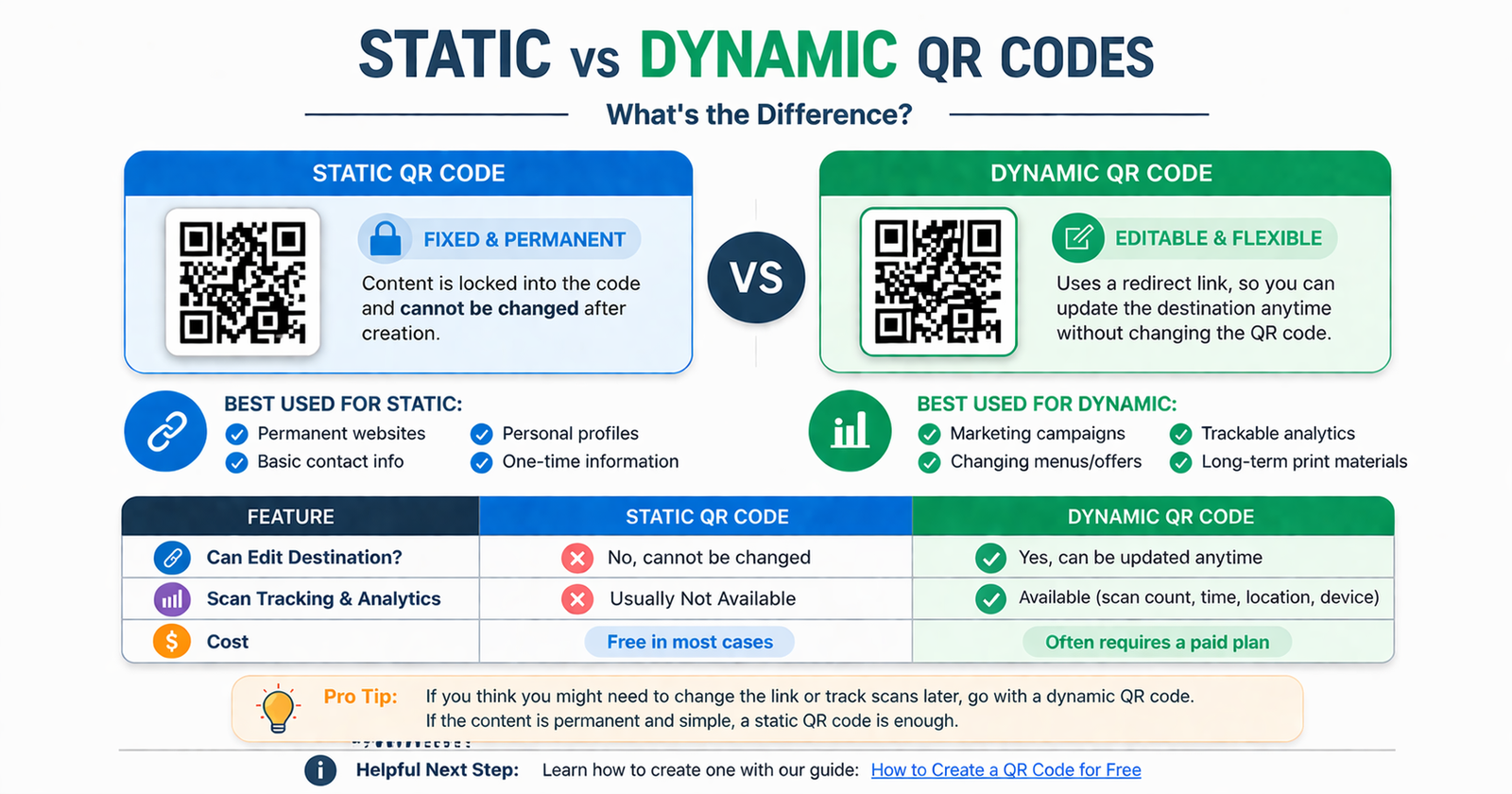
One of the most important things to understand is the difference between static vs dynamic QR code types. This affects how flexible your QR code will be after it is created.
What Is a Static QR Code?
A static QR code contains fixed information. Once it is created, the content cannot be changed. If you link it to a URL, that exact URL stays inside the code permanently.
Static QR codes are often the easiest option when you want to create a QR code for free. They are simple, fast, and useful for permanent content.
Static QR codes are a good choice for:
- homepages
- basic contact details
- simple one-page promotions
- permanent information
What Is a Dynamic QR Code?
A dynamic QR code uses a redirect link, which means you can change the destination later without changing the QR code itself. That makes it more flexible for businesses and marketing campaigns.
Dynamic QR codes are often useful for:
- seasonal promotions
- changing menus
- campaign tracking
- editable landing pages
- print materials that will be used long term
When comparing static vs dynamic QR code options, the best choice depends on whether you need the content to stay fixed or want the ability to update it later.
When to Use a QR Code for a Website
A QR code for website pages is one of the most common use cases because it is so versatile. You can use it to send people to your homepage, a service page, a product page, a sign-up page, or a landing page created for a specific campaign.
This works especially well on printed materials where users would otherwise need to type in a URL manually. A website QR code is useful on:
- business cards
- brochures
- posters
- packaging
- storefront signs
- receipts
- trade show displays
The key is relevance. The page behind the QR code should match the message around it.
When to Use a QR Code for WiFi
A QR code for WiFi is one of the most practical ways to improve convenience for guests. Instead of answering the same question over and over or writing down a password, you can let people scan once and connect instantly.
This is especially useful for:
- cafés
- restaurants
- hotels
- salons
- offices
- events
- waiting rooms
- homes hosting guests
A WiFi QR code saves time and creates a smoother user experience. It also feels more modern and professional than sharing passwords manually.
Best Practices for Better QR Code Results
Use a Mobile-Friendly Destination
Most people scan QR codes on their phones, so the page they land on must work well on mobile. A slow or broken page defeats the whole purpose.
Keep the Destination Specific
Do not send users to a vague page if a more relevant one exists. The more specific the landing page, the better the user experience.
Add a Clear Call to Action
People are more likely to scan a code when they know what they will get. Phrases like “Scan to view menu,” “Scan to join WiFi,” or “Scan to visit our website” work much better than showing a QR code with no explanation.
Make It Easy to Scan
Use enough size, good contrast, and plenty of white space around the code. A cramped or tiny QR code is harder to scan and more likely to frustrate users.
Test Before Printing at Scale
Never assume a generated code is ready. Always test it first. It takes seconds and can save you money and embarrassment.
Common Mistakes to Avoid
Linking to the Wrong Page
One of the most common mistakes is sending users to a page that does not match the context. If the code is on a menu, it should open the menu. If it is on a flyer for a discount, it should open the offer page.
Making the QR Code Too Small
If users cannot scan it easily, they will give up. This is especially important for posters, signs, and displays viewed from a distance.
Using Low Contrast Colors
Light colors on light backgrounds may look stylish, but they often reduce scan reliability. Readability always comes first.
Over-Customizing the Design
Too much design can interfere with scanning. Keep the code clean and functional.
Skipping Testing
This is the biggest avoidable mistake. Always test before sharing, printing, or publishing the code.
Who Should Create a QR Code for Free?
QR codes are useful for far more than large brands. They work well for small businesses, solo professionals, creators, and everyday users.
You may benefit from a QR code if you are:
- a local business owner
- a restaurant or café manager
- a freelancer or consultant
- an event organizer
- a marketer running campaigns
- a teacher sharing resources
- a homeowner sharing WiFi access
Because it is so easy to create QR code online free, there is very little barrier to getting started.
FAQ
Can I create a QR code for free?
Yes. You can use a free QR code generator to create a basic QR code at no cost. Static QR codes are commonly available for free and work well for many simple uses.
How do I make a QR code for my website?
To create a QR code for website traffic, copy the page URL, paste it into a QR code generator, generate the code, test it on your phone, and then download it.
How do I create a QR code for WiFi?
To create a QR code for WiFi, enter your network name, password, and security type into a QR tool that supports WiFi QR codes. Then generate and test it before sharing it with guests.
What is the difference between static and dynamic QR codes?
When comparing static vs dynamic QR code types, the main difference is editability. Static QR codes cannot be changed after creation. Dynamic QR codes can usually be updated later without replacing the printed code.
Is a static QR code good enough for most people?
Yes. If your destination will not change, a static code is often enough. It is simple, fast, and usually the easiest way to create a QR code for free.
Can I use QR codes for printed materials?
Absolutely. QR codes work well on flyers, posters, menus, business cards, brochures, product packaging, and signs. Just make sure the code is clear, large enough, and tested first.
Conclusion
If you want a simple and practical tool for connecting people to your content, QR codes are hard to beat. They are fast, easy to use, and useful for everything from websites and menus to WiFi access and promotions. Best of all, you do not need advanced skills or a big budget to get started.
Once you understand the basics, it becomes easy to create a QR code for free that looks professional and works smoothly. Start with a clear purpose, use the right format, test everything carefully, and focus on making the experience easy for the person scanning it.
If you are ready to make your first code, QRcodesgenerate.com is a simple place to start. It can help you generate QR codes quickly so you can turn links, information, and everyday actions into instant scan-and-go experiences.