What is a QR code, and how does it work? Learn the QR code meaning, common QR code uses, static vs dynamic QR codes, and how to create a QR code online.
Meta Description: What is a QR code and how does it work? Learn the QR code meaning, how scanning works, common QR code uses, static vs dynamic QR codes, and how to create one online.
Slug: what-is-a-qr-code-and-how-does-it-work
What Is a QR Code and How Does It Work?
A QR code can take someone from a printed poster to a website in seconds. It can open a restaurant menu, connect a guest to Wi-Fi, download an app, share a business card, or let a customer pay without cash. Most people use QR codes every day, but many still do not fully understand what they are or what happens when they scan one.
If you have ever wondered what is a QR code, you are not alone. The idea is much simpler than it looks.
A QR code is a special kind of barcode that stores information in a square pattern. A smartphone camera or QR code scanner can read that pattern almost instantly. Once scanned, it tells the device what to do next. That could mean opening a webpage, showing a file, saving contact details, connecting to Wi-Fi, or launching a payment page.
In simple terms, a QR code is a shortcut. It removes extra steps and helps people move from the physical world to digital content in seconds.
In this guide, you will learn the full QR code meaning, how does a QR code work, where QR codes are used, why they matter, the difference between static vs dynamic QR code types, and how to create QR code online the right way.
What Is a QR Code?
A QR code stands for Quick Response code. It is a two-dimensional barcode that stores data in a grid of black and white squares. Unlike a traditional barcode, which stores information in one direction, a QR code stores information both horizontally and vertically. That means it can hold much more data in a smaller space.
That is one reason QR codes became so popular. They are compact, fast to scan, and flexible enough to support many different uses.
At a practical level, the answer to what is a QR code is simple: it is a scannable code that instantly connects users to digital content or actions.
QR Code Meaning in Simple Terms
The technical explanation helps, but the everyday meaning matters more.
The real QR code meaning is convenience. Instead of asking people to type a long web address, search for a page, enter a password, or manually save contact information, a QR code lets them do it in one quick scan.
Think of it like a bridge between offline and online. You can print a QR code on a flyer, package, sign, or business card, and it gives people an instant path to something digital.
For businesses, that means fewer steps between interest and action. For users, it means less effort and less friction.
A Brief History of QR Codes
QR codes were created in 1994 by Denso Wave, a Japanese company. They were originally developed to help track vehicle parts during manufacturing. Traditional barcodes were useful, but they had limits. They could not store enough information, and they were slower to read in fast-moving industrial environments.
QR codes solved that problem by holding more data and allowing faster scanning from multiple angles.
Years later, smartphones changed everything. Once phone cameras became good enough to scan codes easily, QR codes moved beyond factories and into daily life. Today they are used in restaurants, retail stores, schools, healthcare, logistics, real estate, travel, and digital payments.
How Does a QR Code Work?
Now let’s answer the second main question: how does a QR code work?
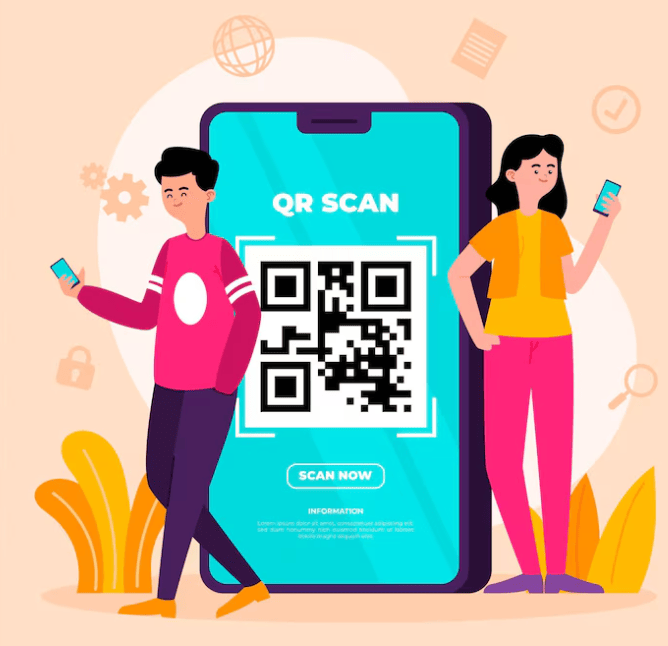
A QR code works by encoding information into a visual pattern of tiny squares. When a person scans that pattern with a smartphone or QR code scanner, the device decodes the information and performs the action linked to it.
Here is the process in simple steps.
1. Data is entered
First, the creator chooses what information the QR code should contain. That might be a URL, plain text, a phone number, a PDF link, Wi-Fi credentials, or contact details.
2. The data is encoded
A QR code generator converts that information into a square pattern made up of black and white modules. Each part of the pattern helps represent the stored data in a machine-readable format.
3. The user scans the code
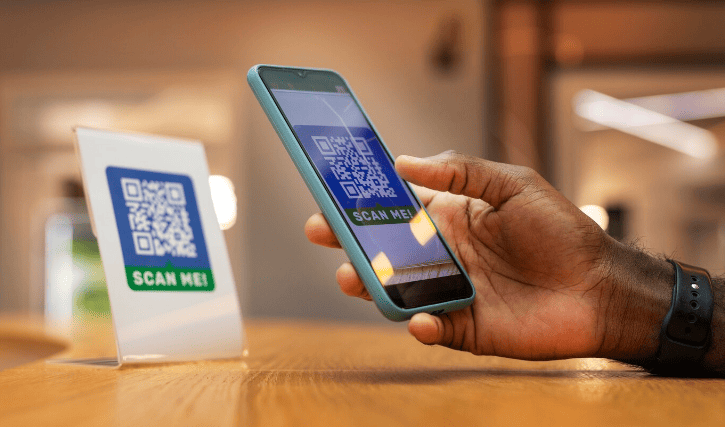
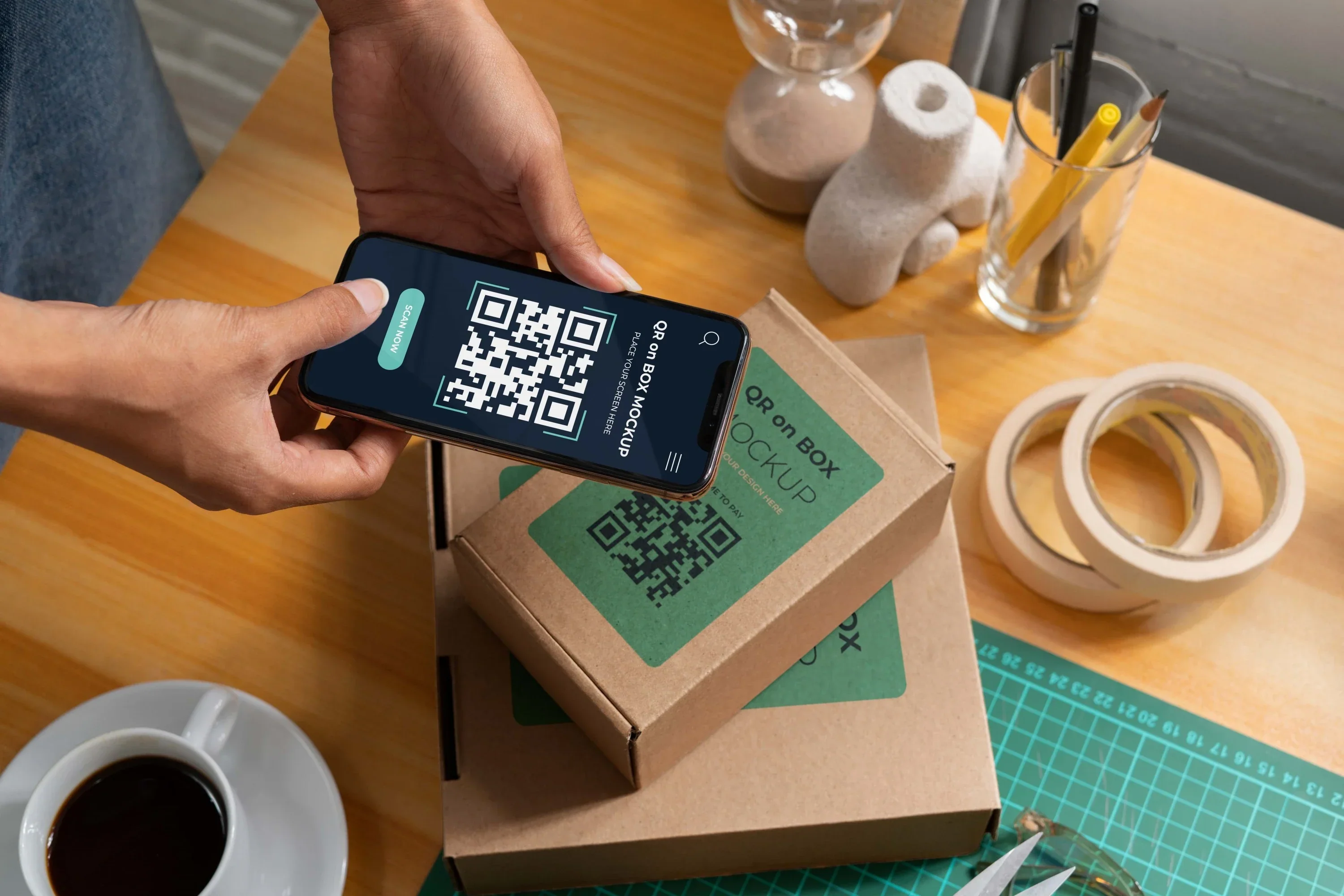
A person points their smartphone camera or a dedicated QR code scanner at the code. Most modern phones can recognize QR codes without needing a separate app.
4. The scanner decodes the pattern
The device reads the layout of the code, detects the encoded information, and translates it into something usable.
5. The action is triggered
If the QR code contains a web link, the phone offers to open it. If it contains contact data, the user can save it. If it contains Wi-Fi details, the phone may prompt the user to join the network.
That is the basic answer to how does a QR code work: it stores data visually and lets a scanner convert that pattern into an action almost instantly.
Why QR Codes Are Easy to Scan
QR codes are designed to be read quickly and accurately. You may have noticed three large square boxes in the corners of most QR codes. These are position markers. They help the scanner detect the code, identify its orientation, and read it even if the image is tilted or slightly distorted.
This design is one reason QR codes work so well in the real world. People do not have to line them up perfectly. They usually scan fast, even from awkward angles.
QR codes also include built-in error correction. That means they can often still work even if part of the code is dirty, scratched, or partially covered. This makes them more reliable on packaging, posters, and printed materials.
What Can a QR Code Store?
One reason QR codes are so useful is that they can store many different types of information.
- Website URLs
- Plain text
- Phone numbers
- Email addresses
- SMS messages
- Contact cards
- Wi-Fi usernames and passwords
- App store links
- Digital menus
- File download links
- Payment pages
- Event registration pages
This variety explains why there are so many QR code uses across different industries. A single technology can support marketing, customer service, payments, networking, and information sharing.
Most Common QR Code Uses
Let’s make this practical. Here are some of the most common QR code uses in everyday life.
Restaurant menus
Restaurants use QR codes so customers can scan and view digital menus. This makes updates easier and reduces printing costs.
Product packaging
Brands place QR codes on boxes or labels to link to product instructions, reviews, authenticity checks, or promotional offers.
Business cards
A QR code on a business card can instantly save contact details, which is much easier than typing them manually.
Wi-Fi access
Hotels, offices, and homes use QR codes to let guests join Wi-Fi without typing long passwords.
Payments
Many stores, cafes, freelancers, and delivery services accept payment through QR codes connected to digital wallets or banking apps.
Events and tickets
Organizers use QR codes for registrations, ticket verification, seat details, maps, and schedules.
Education
Teachers and schools use them to share worksheets, lessons, quizzes, and online resources.
Marketing campaigns
Businesses place QR codes on posters, brochures, banners, and ads to drive traffic to landing pages, offers, videos, or lead forms.
These are only a few examples. The best part is that QR codes work in both small personal situations and large-scale business systems.
What Is a QR Code Scanner?
A QR code scanner is the tool that reads a QR code and interprets the information inside it.
In the past, people often needed a dedicated scanning app. Today, most smartphones include this feature inside the camera app. The process is usually simple:
- Open the camera
- Point it at the QR code
- Wait for the prompt to appear
- Tap the prompt
Some phones also offer scanning through built-in tools like Google Lens or control panel shortcuts.
If a QR code does not scan, the problem is often caused by poor lighting, blurry focus, weak contrast, small print size, or a damaged code. Sometimes the issue is not the code itself but the destination link behind it.
Static vs Dynamic QR Code: What’s the Difference?
This is one of the most important topics for anyone planning to use QR codes seriously. Understanding static vs dynamic QR code options helps you choose the right type from the start.
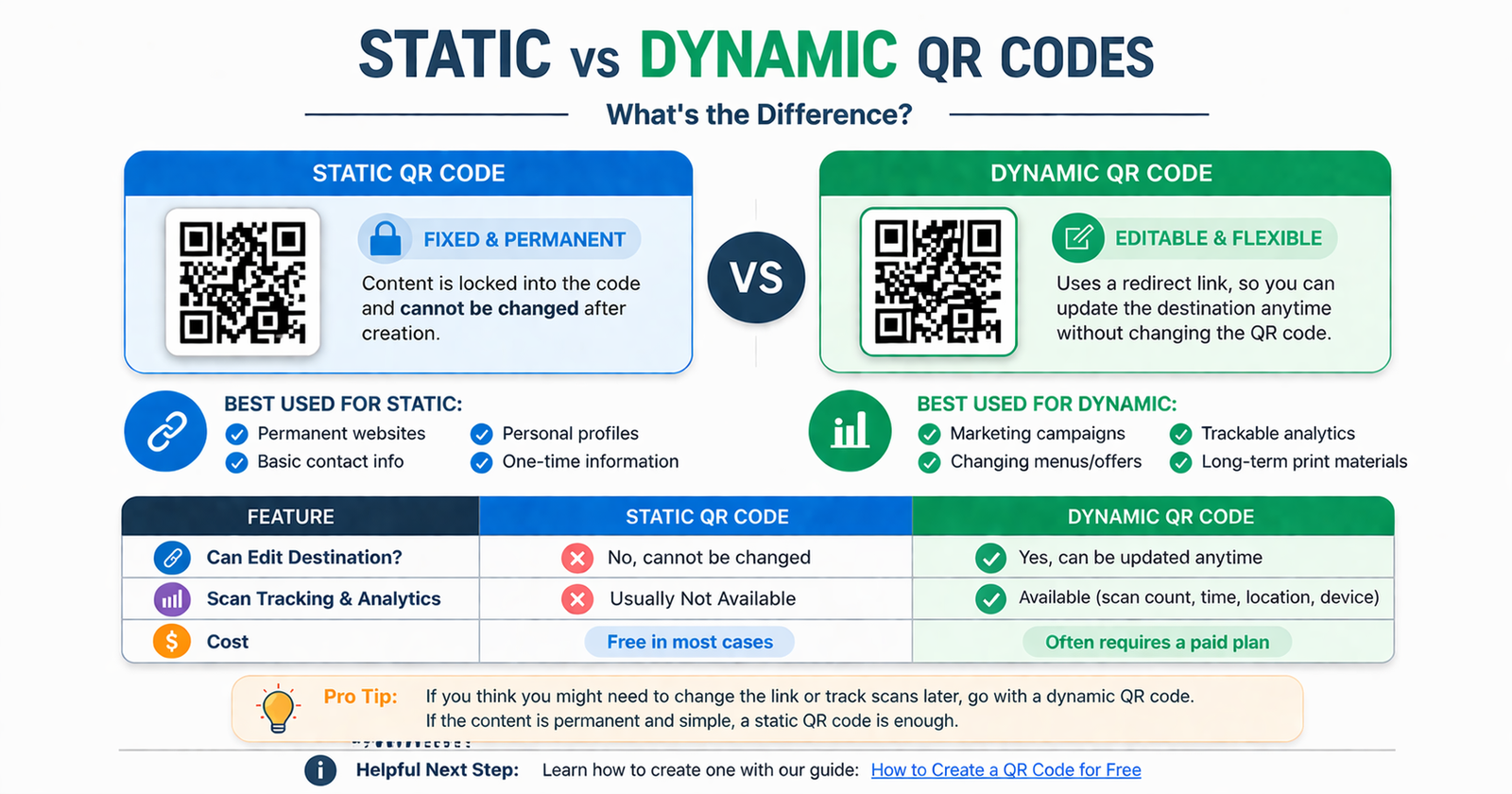
Static QR code
A static QR code contains fixed information. Once it is created, the content cannot be edited.
For example, if a static code points to a specific URL, that exact link stays embedded forever. If the webpage changes or the URL breaks, the QR code may stop being useful.
Best for:
- Permanent links
- Personal use
- Simple one-time campaigns
- Basic information sharing
Pros:
- Easy to create
- Often free
- No management needed after creation
Cons:
- Cannot be updated later
- No scan analytics in most cases
- Less flexible for businesses
Dynamic QR code
A dynamic QR code uses a short redirect URL. This means the destination can be changed later without replacing the printed code.
For example, a business could print one QR code on thousands of flyers and later update where that code leads. That makes dynamic codes far more flexible for long-term use and marketing campaigns.
Best for:
- Marketing campaigns
- Business materials
- Menus and product packaging
- Performance tracking
Pros:
- Editable after creation
- Better for long-term use
- Often includes scan tracking and analytics
- Supports campaign optimization
Cons:
- May require an account or subscription
- Usually managed through a QR platform
When comparing static vs dynamic QR code options, the main question is simple: do you need the flexibility to change the destination later? If yes, dynamic is usually the better choice.
Why Businesses Use QR Codes
Businesses love QR codes because they remove friction and improve response rates. Instead of asking customers to remember something, type something, or search for something, they offer a quick scan and an instant result.
Here are a few reasons QR codes work so well in business:
- They connect print materials to digital experiences
- They make marketing campaigns easier to measure
- They reduce the need for long URLs or extra instructions
- They help users act quickly while interest is high
- They support mobile-first behavior
A real estate agent can place a QR code on a property sign that links to the listing. A gym can use one on a poster to offer a free trial. A retailer can use one on shelf signage to show reviews or stock availability. A local cafe can use one for payments and loyalty offers.
That is why QR codes continue to grow in popularity. They are simple, but they make the customer journey much smoother.
Are QR Codes Safe?
In most cases, yes. QR codes themselves are safe. The main risk is the destination they lead to.
A scammer can create a QR code that points to a fake website, a malicious download, or a phishing page. That is why users should always be careful with unknown codes, especially in public places.
Here are a few basic safety tips:
- Scan codes from trusted businesses and sources
- Check the preview link if your device shows one
- Avoid entering personal information on suspicious pages
- Look for secure websites that use HTTPS
- Use your phone’s built-in scanner or a trusted app
For businesses, trust matters too. If you use QR codes in public, make sure the linked experience looks professional, loads fast, and clearly matches the user’s expectations.
How to Create QR Code Online
If you want to create QR code online, the process is usually very simple.
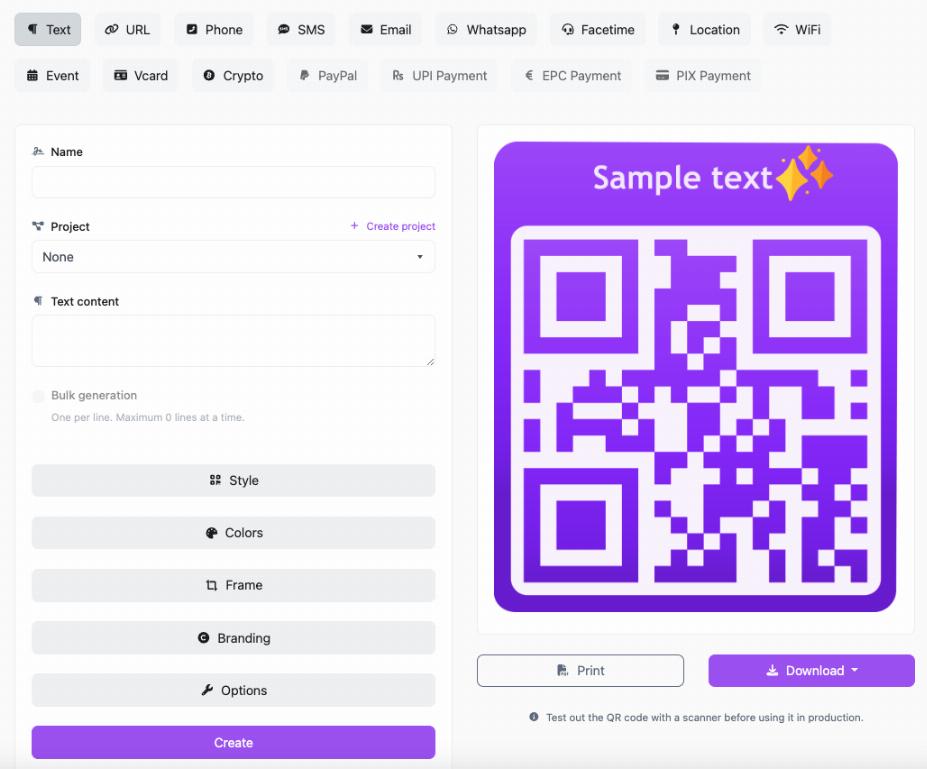
1. Choose the content type
Decide what your QR code should do. It might link to a website, PDF, contact card, social profile, payment page, or Wi-Fi connection.
2. Enter your content
Paste the URL or type the details you want the QR code to store.
3. Choose static or dynamic
If your content will never change, a static code may be enough. If you want to edit it later or track scans, choose dynamic.
4. Customize the design
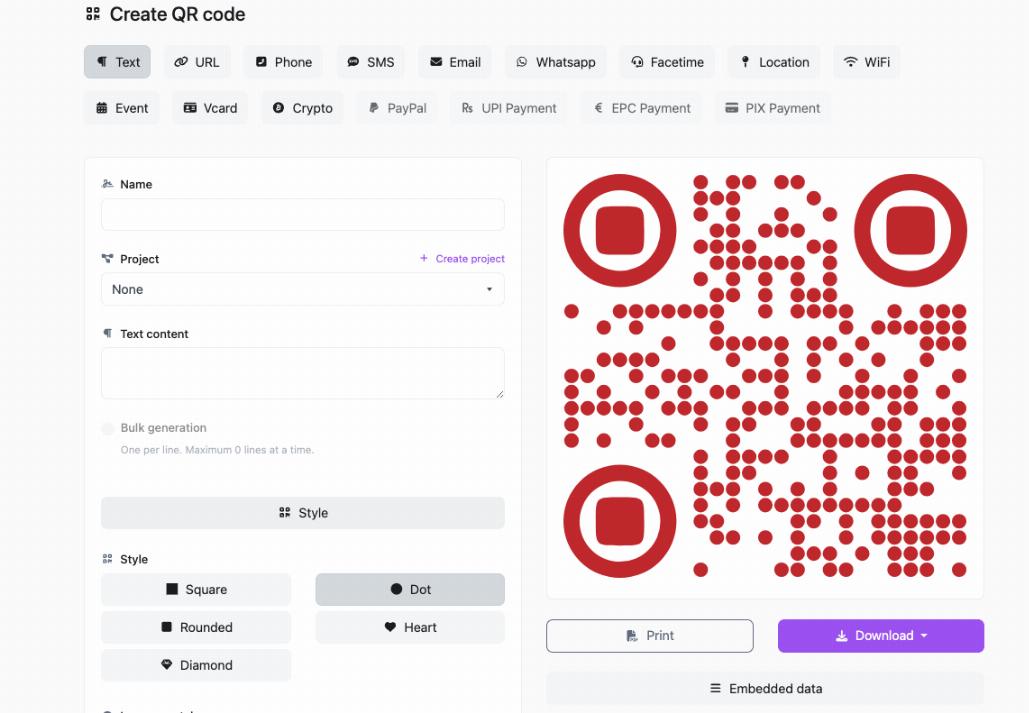
Many tools let you change colors, add a frame, include a logo, or adjust the style. Customization can help with branding, but readability should always come first.
5. Download and test
Before printing or sharing the code, test it on different devices to make sure it scans properly and goes to the correct destination.
If you are looking for an easy way to create QR code online, QRcodesgenerate.com offers a simple option for turning links and other content into ready-to-use QR codes for websites, marketing materials, menus, and more.
Best Practices for Better QR Code Performance
Creating a QR code is easy. Making it effective takes a little more thought.
Use a clear call to action
Tell people why they should scan. For example, say “Scan to view the menu” or “Scan to claim your discount.” A QR code alone is less persuasive than a QR code with context.
Make sure it is large enough
If the code is too small, people will struggle to scan it. Print size should match the expected scanning distance.
Keep strong contrast
Dark codes on light backgrounds usually scan best. Stylish designs are fine as long as readability stays high.
Test before publishing
Always test the code with multiple phones and in realistic conditions.
Send users to a mobile-friendly page
Most QR scans happen on phones, so the landing page should load fast and look good on mobile screens.
Use dynamic codes for campaigns
If you are running ads, print promotions, or seasonal offers, dynamic QR codes give you more control and flexibility.
Common QR Code Mistakes to Avoid
Many QR campaigns fail for simple reasons. Here are some of the most common mistakes:
- Using a code that is too small to scan comfortably
- Printing low-quality images that blur when resized
- Linking to a broken or outdated page
- Using low contrast colors that reduce readability
- Placing the code where lighting is poor or access is awkward
- Not explaining what users get after scanning
- Sending users to a non-mobile-friendly website
These mistakes are easy to avoid, but they matter. A QR code should feel instant and effortless. The more friction you remove, the better it performs.
The Future of QR Codes
QR codes are no longer just a convenient extra. In many industries, they are becoming a standard part of how businesses communicate, sell, and support customers.
As mobile behavior keeps growing, QR codes fit naturally into the way people already interact with the world. They are quick, familiar, affordable, and easy to deploy.
We will likely continue seeing them used for:
- Contactless payments
- Smart packaging
- Digital identity verification
- Customer support access
- Event and travel check-ins
- Product authentication
- Interactive retail experiences
That is the real power of QR technology. It solves small problems in a simple way, and those small improvements add up to a much better user experience.
Conclusion
So, what is a QR code?
It is a smart, scannable tool that stores information and gives people a faster way to access digital content. And how does a QR code work? It turns encoded visual data into an instant action through a smartphone or QR code scanner.
What makes QR codes valuable is not just the technology behind them. It is the convenience they create. They save time, reduce friction, and connect people to exactly what they need with a single scan.
Whether you want to share a website, menu, payment link, contact card, or marketing offer, QR codes give you a simple and effective way to do it.
If you are ready to try it for yourself, QRcodesgenerate.com is a practical place to start. You can create the right type of QR code for your needs, test it, and start using it in real-world situations without overcomplicating the process.
FAQ
What is a QR code in simple words?
A QR code is a square barcode that stores information and can be scanned with a smartphone to open a link, file, or digital action quickly.
How does a QR code work?
A QR code works by encoding information into a pattern of black and white squares. A smartphone or QR code scanner reads that pattern, decodes the data, and performs the linked action.
What is the QR code meaning?
The QR code meaning is “Quick Response code.” It is designed to be scanned quickly and connect users to information with minimal effort.
What are the most common QR code uses?
Common QR code uses include website links, restaurant menus, business cards, payments, app downloads, event check-ins, and Wi-Fi access.
What is the difference between static vs dynamic QR code types?
A static QR code has fixed content that cannot be changed after creation. A dynamic QR code allows you to update the destination later and often includes analytics.
Do I need a QR code scanner app?
Usually no. Most modern smartphones can scan QR codes directly through the built-in camera app.
Can I create QR code online for free?
Yes. Many platforms let you create QR code online for free, especially for basic static QR codes.
Are QR codes safe?
QR codes are generally safe, but users should be careful when scanning unknown codes because the destination link could be misleading or harmful.