Business cards are small, but they still carry a lot of weight. In a quick meeting, at an event, during a sales visit, or after a casual introduction, a card often becomes the one thing someone takes away with them. The problem is that traditional business cards have limited space, and most people do not want to type a website URL, search for a profile, or manually save contact details later.
That is exactly why more professionals now want to know how to generate a QR code for business cards. A QR code makes a business card more useful by turning it into a quick digital gateway. Instead of just showing your name, phone number, and website, it can instantly open your portfolio, save your contact information, send someone to your booking page, or take them straight to your business website.
Used well, a QR code can make a business card feel more modern, more practical, and far more likely to lead to action. It reduces friction, saves time, and gives the person scanning it an easier next step.
In this guide, you will learn how to create a QR code for a business card, what to link it to, where to place it, common mistakes to avoid, and best practices for making sure it works properly in the real world.
Why Put a QR Code on a Business Card?
A QR code adds function to a printed card. Instead of asking someone to keep the card, remember it later, and manually visit your site or save your number, you make the next step immediate.
That is important because most networking happens quickly. If the follow-up feels inconvenient, many people simply never do it. A QR code helps remove that barrier.
A business card QR code can help someone:
- visit your website instantly
- save your contact details
- view your portfolio
- book a call or appointment
- connect on LinkedIn or another platform
- open a product or service page
For freelancers, consultants, agencies, sales professionals, real estate agents, designers, photographers, local business owners, and service providers, this can make a business card much more effective.
What Should a Business Card QR Code Link To?
Before generating the code, decide what action matters most after someone receives your card.
This is the most important decision in the whole process. A QR code is only useful if it leads to something relevant and helpful.
Common options include:
- a digital contact card
- your website homepage
- a portfolio page
- a service page
- a booking page
- your LinkedIn profile
- a landing page made for networking
For many people, a digital contact card or a simple professional landing page works best because it gives the scanner several options in one place. If your main goal is lead generation, a targeted service page or booking page may be a better choice than a general homepage.
How to Generate a QR Code for Business Cards
If you want to know how to generate a QR code for business cards, the process is straightforward. The key is choosing the right destination and making sure the final code is practical for print.
Step 1: Choose the Best Destination
Start by asking what you want the person to do after scanning the code.
If you are a designer or freelancer, a portfolio page may be the best option. If you run a local service business, a contact page or booking page may work better. If you want people to save your details instantly, a digital contact card makes the most sense.
Do not choose a destination just because it seems standard. Choose the one that makes the next step easiest for the person receiving your card.
Step 2: Prepare the Link or Contact Details
Once you know what the QR code should open, prepare the exact URL or contact data you want to use.
Before generating the QR code, test the link yourself and make sure:
- it works correctly
- it looks good on mobile
- it loads quickly
- it matches the purpose of the card
If you are linking to a webpage, it should feel useful immediately. A business card QR code should not send people somewhere vague or confusing.
Step 3: Create the QR Code
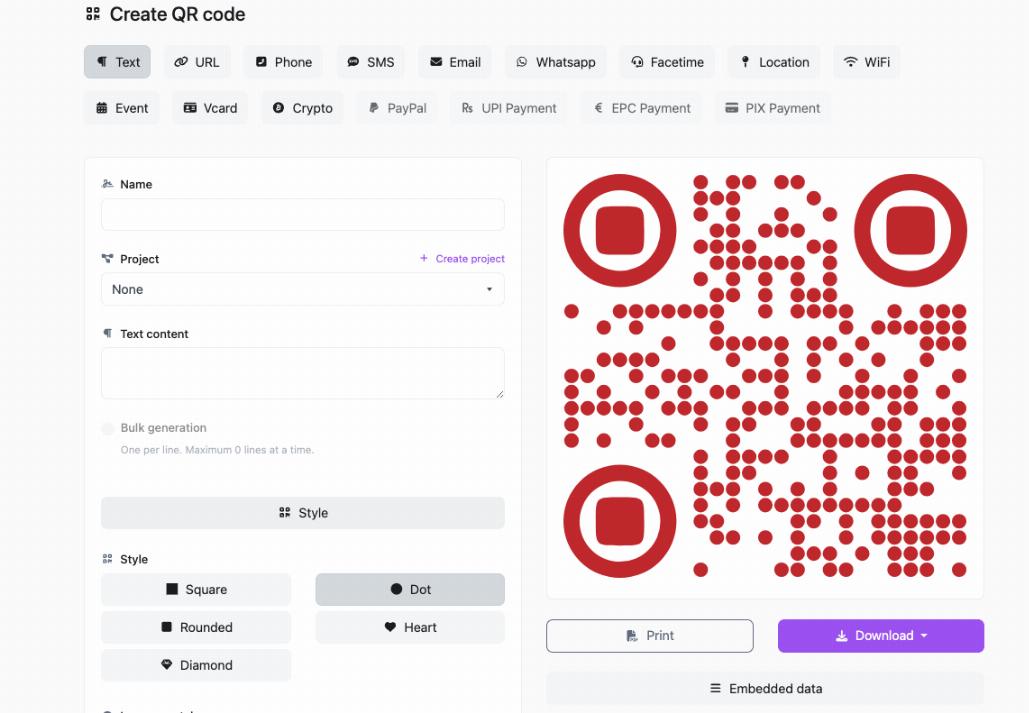
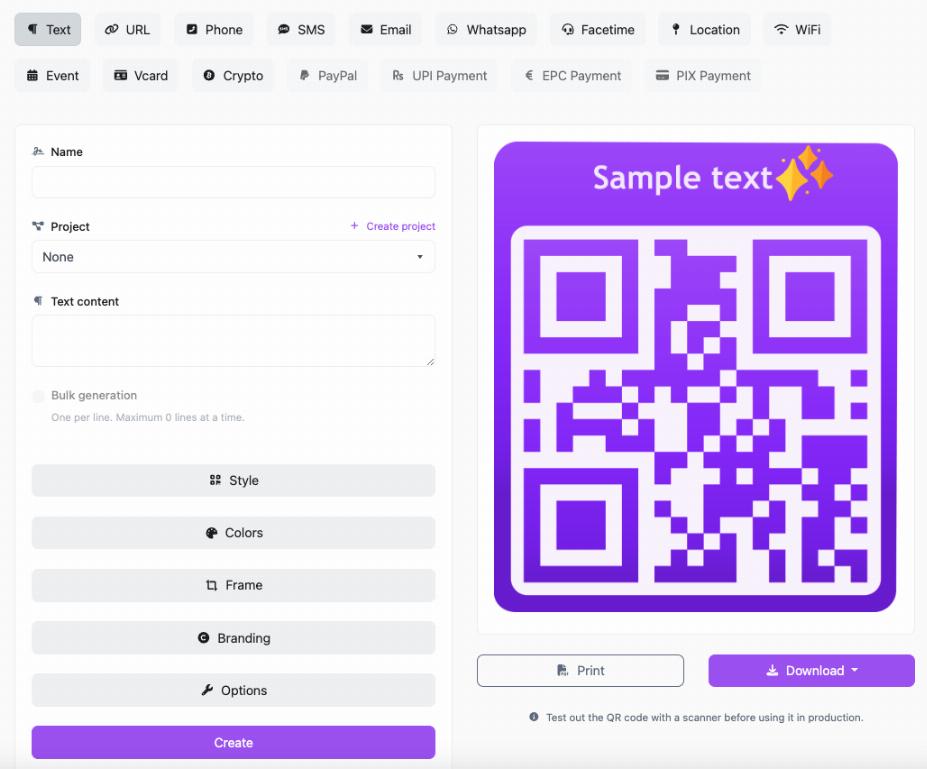
Use a QR code generator and enter the destination you want the code to open. If you are new to the overall setup process, our guide on how to create a QR code for free covers the basics in a simple way.
Once the destination is entered, generate the QR code and preview it before downloading.
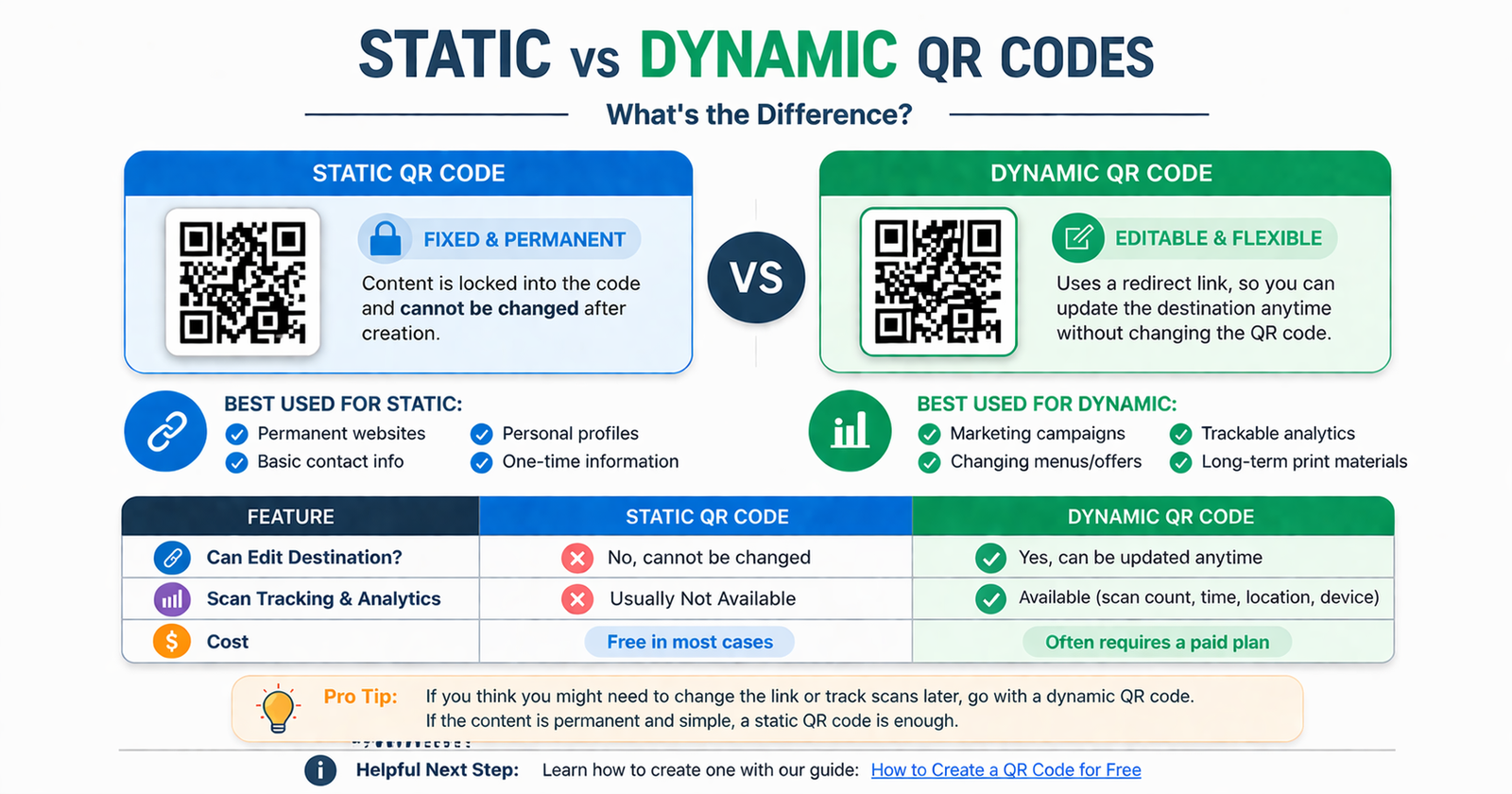
Step 4: Decide Between Static and Dynamic
At this stage, think about whether the destination might need to change later.
If your QR code points to a page that will stay the same, a static code may be enough. If you expect to update the destination later, such as changing a portfolio link or swapping in a new booking page, a dynamic QR code can give you more flexibility.
This matters because business cards are often printed in batches, and replacing them later is inconvenient and expensive.
Step 5: Keep the Design Clean
Many QR tools let you customize colors or add branding. That can be useful, but do not push style too far. A business card QR code must scan easily in real conditions, not just look attractive on screen.
Use strong contrast, enough white space, and a size that remains readable after printing.
Step 6: Test Before Printing
Always test the QR code on your phone and at least one other device if possible. This is especially important for business cards because the print size is usually small.
Make sure:
- the code scans quickly
- it opens the correct destination
- the page or contact card works well on mobile
- nothing feels broken or incomplete
Never assume it is ready just because it generated successfully.
Step 7: Place It Properly on the Card
Once the code is working, place it on the business card in a way that feels intentional and easy to scan.
Common placement options include:
- the back of the card
- a corner on the front
- centered on one side with a call to action
Many people prefer placing the QR code on the back to keep the front cleaner and less crowded.
Best Things to Link from a Business Card QR Code
Digital Contact Card
This is one of the most practical options because it lets people save your details directly instead of typing them in later.
Website Homepage
This works best when your homepage clearly explains who you are and what you do.
Portfolio Page
Great for designers, writers, developers, photographers, architects, and other creative professionals who want to show work immediately.
Booking Page
Ideal for consultants, agencies, coaches, salons, clinics, and service businesses where the next step is scheduling.
Landing Page
A simple personal or branded landing page can combine your photo, contact options, services, and links in one mobile-friendly place.
LinkedIn Profile
This is useful in networking-heavy industries where professional profile review is the most likely follow-up step.
Best Practices for QR Codes on Business Cards
Make the Destination Mobile-Friendly
Most people will scan a business card QR code on their phone, so the page it opens needs to work well on a small screen.
Use a Clear Prompt
A tiny line of text near the QR code can improve scan rates because it tells people what they will get.
Examples:
- Scan to Save Contact
- Scan to View Portfolio
- Scan to Visit Website
- Scan to Book a Call
Keep It Large Enough to Scan
Business cards are small, but the QR code still needs enough space to work properly. Avoid shrinking it too much just to fit the layout.
Do Not Overcrowd the Card
A QR code should improve the design, not make the card feel cramped. Keep the rest of the layout clean.
Think Long-Term Before Printing
If you plan to print hundreds of cards, make sure the linked destination will still make sense months later.
Common Mistakes to Avoid
Linking to the Wrong Page
A generic or irrelevant page weakens the value of the scan. The destination should match your goal.
Making the QR Code Too Small
If people struggle to scan it, they will stop trying.
Skipping Testing
This is the biggest mistake. Always test before printing a full batch.
Using a Poor Mobile Destination
A slow, messy, or desktop-only page creates a bad impression immediately.
Forgetting About Future Changes
If the page may change soon, printing a fixed QR code can create avoidable problems later.
Who Should Use QR Codes on Business Cards?
QR codes on business cards are useful for almost anyone who wants to make networking easier, but they are especially helpful for:
- freelancers
- consultants
- designers and creatives
- real estate professionals
- sales teams
- local business owners
- event professionals
- service providers
If your work depends on quick follow-up, easy contact saving, or sending people to a digital destination, a QR code can make your card much more effective.
FAQ
How do I generate a QR code for a business card?
Choose what you want the code to open, such as a website, contact card, portfolio, or booking page, enter that into a QR code generator, generate the code, test it, and then add it to your card design.
What should a QR code on a business card link to?
It depends on your goal. Common options include a digital contact card, website, portfolio, booking page, or LinkedIn profile.
Should I put the QR code on the front or back of the card?
Many people place it on the back to keep the front clean, but either side can work as long as the code is easy to scan and the design is not cluttered.
Can I create a business card QR code for free?
Yes. Many basic QR codes can be generated for free, especially if you only need a simple fixed destination.
Do QR codes make business cards better?
They can, because they make it easier for people to take action immediately instead of manually entering information later.
What is the best size for a QR code on a business card?
It should be large enough to scan easily without dominating the layout. Always test the printed size before finalizing a full order.
Conclusion
Learning how to generate a QR code for business cards is a simple way to make a traditional networking tool more useful. Instead of leaving the next step up to chance, you make it easier for people to visit your site, save your contact details, or connect with your work immediately.
The best results come from choosing the right destination, keeping the design clean, and testing the code carefully before printing. A QR code does not need to be flashy to be effective. It just needs to make follow-up easier.
If you are ready to create one, QRcodesgenerate.com gives you a simple way to generate QR codes for websites, contact details, portfolios, and more, so your business card can do more than just hand out information.