If you want a simple way to send people directly to a webpage, a QR code is one of the easiest tools you can use. Instead of asking someone to type a long URL, remember a page name, or search for your business manually, you can give them a quick scan that opens the right page instantly.
That is exactly why more businesses, marketers, creators, and small brands now use QR codes for website links. They help turn offline attention into online action. A flyer can become a website visit. A poster can become a product page view. A business card can become a lead. A product label can become a purchase.
But creating a QR code for a website link is not only about dropping a URL into a generator and downloading an image. If you want the QR code to work well, you need to choose the right page, use the right code type, test it properly, and place it where people will actually scan it.
In this guide, you will learn exactly how to create a QR code for a website link, what type of link works best, how to avoid common mistakes, and how to make your QR code more effective. If you are new to QR codes in general, start with our guide on how to create a QR code for free. If you are unsure whether your code should be editable later, our article on static vs dynamic QR codes explains the difference clearly. And if you want to see how businesses use website QR codes in the real world, our guide on best uses of QR codes for small businesses gives practical examples.
What Is a QR Code for a Website Link?
A QR code for a website link is a scannable code that opens a webpage when someone scans it with their phone. The webpage could be a homepage, landing page, product page, booking page, contact page, blog post, restaurant menu, event registration page, or any other URL you want people to visit.
Instead of typing the web address manually, the user simply scans the code and lands there right away.
This is useful because it removes friction. The easier it is for someone to reach your page, the more likely they are to take action.
Why Use a QR Code for a Website Link?
Website QR codes are popular because they make access faster and easier. They are especially useful when your audience first sees your business in a physical space and you want to move them online without losing attention.
A QR code for a website link can help you:
- send people to your homepage
- promote a specific landing page
- share a product or service page
- collect leads from a form
- drive traffic from print materials
- connect offline marketing to online results
- make it easier for customers to act immediately
That is why website QR codes are now common on business cards, brochures, posters, menus, packaging, store signs, trade show materials, and checkout counters.
When Should You Use a Website QR Code?
A website QR code works best when people are seeing your message offline but need to continue the experience online.
Some of the most common use cases include:
- flyers promoting a service or event
- product packaging linking to product details
- restaurant signs linking to menus
- posters linking to ticket or booking pages
- business cards linking to portfolios or contact pages
- retail displays linking to special offers
- print ads linking to a campaign landing page
If someone has to type a long URL from a printed item, many will not bother. A QR code removes that extra step.
How to Create a QR Code for a Website Link
If you want to know how to create a QR code for a website link, the process is simple. The key is doing it carefully so the result is useful, scannable, and relevant.
Step 1: Choose the Exact Web Page
Before generating the QR code, decide which page people should open.
This is one of the most important parts of the process. Many people make the mistake of linking every QR code to the homepage, even when a more specific page would work better.
For example:
- a flyer for one product should link to that product page
- a poster for an event should link to the registration page
- a restaurant table code should link to the menu page
- a business card should link to a contact or portfolio page
The more directly the page matches the reason for scanning, the better the user experience will be.
Step 2: Copy the Full URL
Once you know which page to use, copy the full website address exactly as it should open. Make sure the URL is correct, live, and mobile-friendly.
Before creating the QR code, test the link yourself in a browser and on a phone. Confirm that:
- the page loads properly
- there are no errors
- the page looks good on mobile
- the content is relevant to the scan context
A QR code is only as useful as the page behind it.
Step 3: Use a QR Code Generator
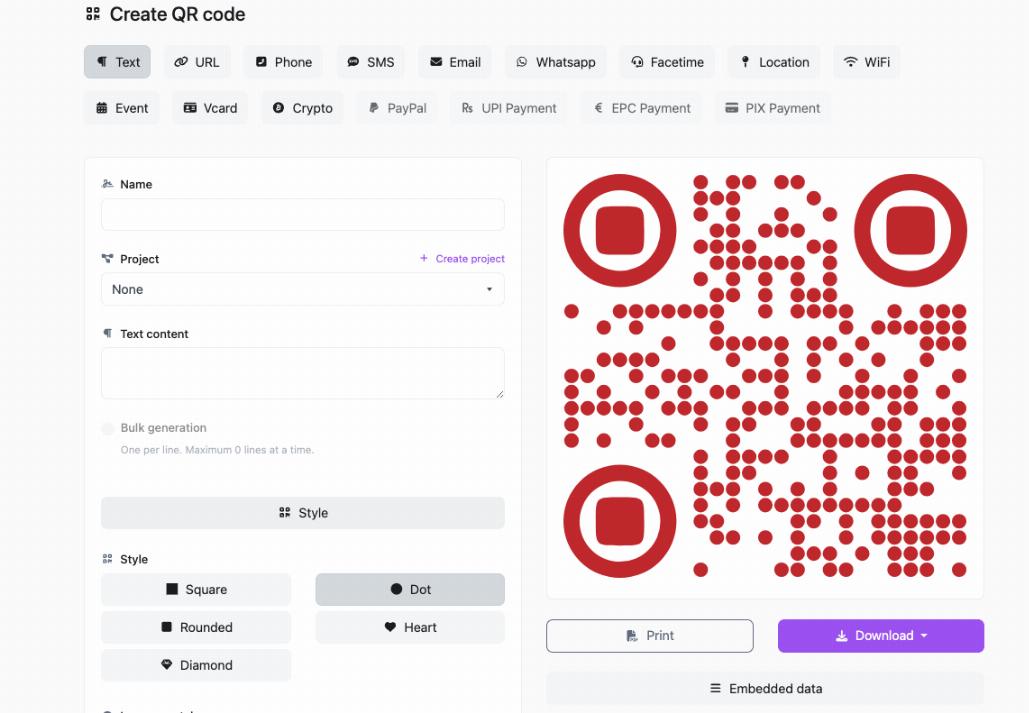
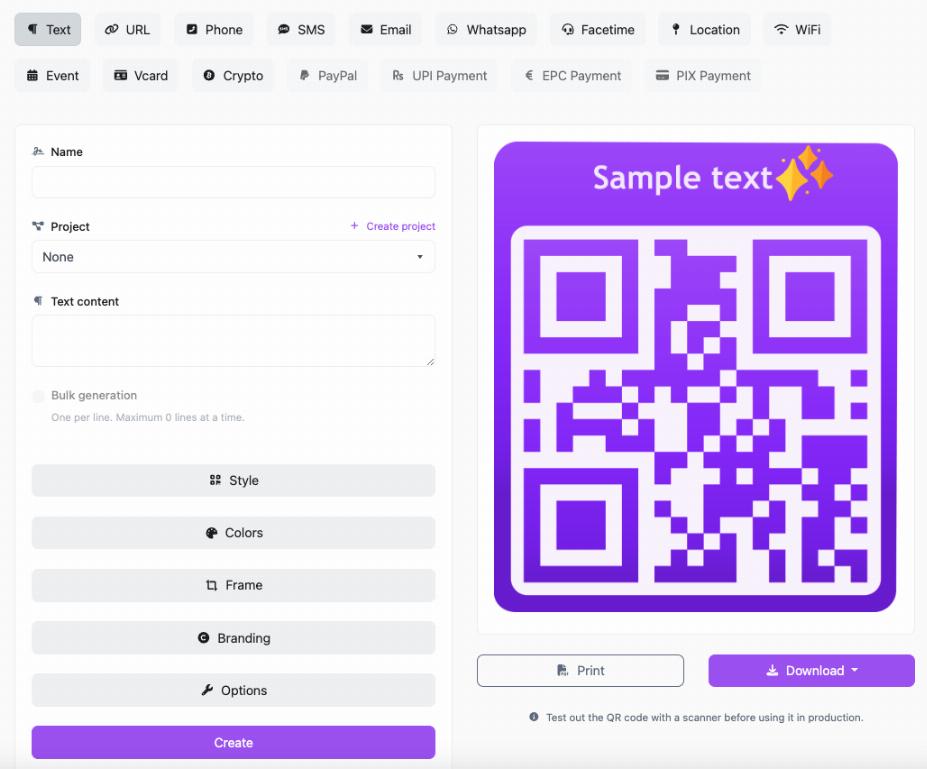
Now paste the website URL into a QR code generator. A tool like QRcodesgenerate.com makes it easy to create a QR code for a website link without technical setup.
The generator will turn the URL into a scannable code that users can open with their smartphone camera.
If you are looking for the full beginner walkthrough, our guide on how to create a QR code for free explains the setup step by step.
Step 4: Choose Static or Dynamic
Before downloading the code, think about whether the link may need to change later.
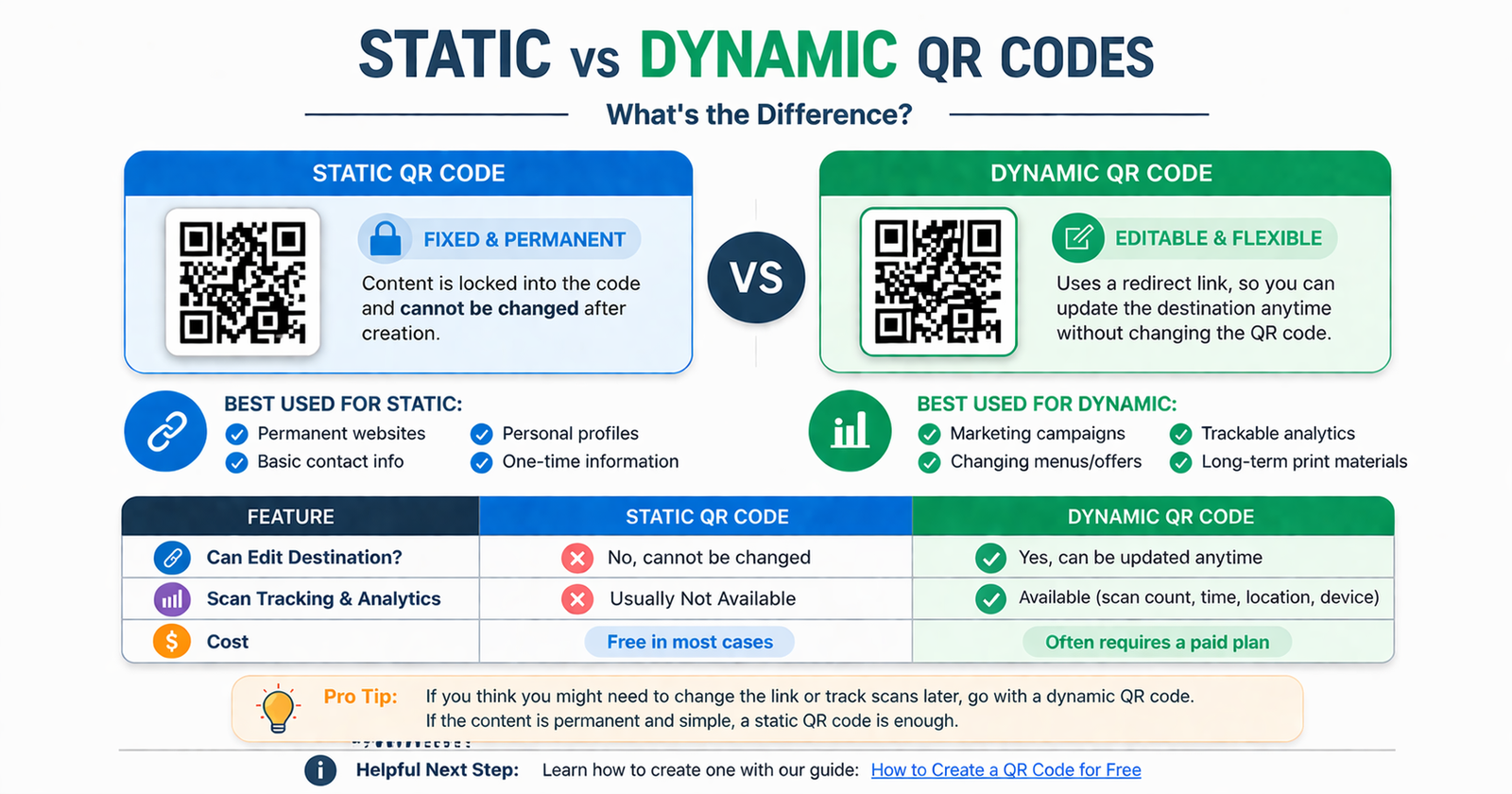
A static QR code stores the final webpage directly in the code. Once created, it cannot be edited.
A dynamic QR code usually uses a redirect, which means you can update the destination later without replacing the QR code itself.
If your webpage will stay the same permanently, static may be enough. If you might change the page later, dynamic is often the smarter choice. This matters for marketing campaigns, product pages, landing pages, and time-sensitive offers. For a deeper breakdown, read our guide on static vs dynamic QR codes.
Step 5: Generate the QR Code
Once the link is entered and the code type is chosen, generate the QR code. At this point, many tools let you adjust the appearance with color, frame text, or branding.
Customization can help with branding, but function matters more than style. A clean, high-contrast code is better than a heavily designed code that scans poorly.
Step 6: Test It Carefully
This is a step you should never skip.
Scan the QR code with your phone. Then test it on another phone if possible. Make sure:
- it opens the correct page
- the page loads fast enough
- the destination works on mobile
- the page matches the reason the person scanned it
Testing helps prevent broken experiences and wasted print materials.
Step 7: Download and Use It
Once the QR code works correctly, download it and place it where people will actually use it.
Common placements include:
- business cards
- flyers
- posters
- packaging
- brochures
- menus
- checkout counters
- window signs
- event banners
The placement should match the goal. A code intended to drive bookings should be near a booking message. A code promoting a product should sit next to that product or offer.
Best Types of Website Pages to Link to
Not every QR code should go to a homepage. In many cases, a more specific page performs better because it gets users closer to the action you want them to take.
Homepages
A homepage QR code is useful when you want to introduce your overall business or brand.
Landing Pages
A landing page is often better for promotions, paid campaigns, events, or lead generation because it focuses on one offer or action.
Product Pages
These work well for packaging, shelf displays, retail promotions, and printed product ads.
Booking Pages
Perfect for salons, restaurants, clinics, service businesses, and consultants who want to turn interest into appointments quickly.
Contact Pages
These are useful for brochures, service flyers, or signs where the main goal is getting inquiries.
Blog Posts or Guides
Content-based QR codes work well when you want to educate users or guide them deeper into a topic. For example, a QR code on restaurant signage may link to a relevant resource like how restaurants use QR codes for digital menus if that supports the reader journey naturally.
Best Practices for Website Link QR Codes
Use a Mobile-Friendly Destination
Most people scan QR codes with phones, so the webpage needs to work well on mobile. A desktop-only page can ruin the experience immediately.
Match the QR Code to the Context
If the code appears on a product label, it should open the product page. If it appears on a brochure for one service, it should open that service page. Relevance matters.
Add a Clear Call to Action
Tell people why they should scan. A simple prompt can improve engagement a lot.
Examples:
- Scan to Visit Our Website
- Scan to Learn More
- Scan to Shop Now
- Scan to Book Online
- Scan to View the Menu
Keep the Design Scannable
Use strong contrast, enough white space, and a clear size. Avoid overdesigning the code.
Think Ahead About Edits
If the linked page might change later, choosing the right QR format from the start can save time. This is especially important for campaign pages and business promotions.
Common Mistakes to Avoid
Linking Everything to the Homepage
This is one of the most common mistakes. A homepage often makes the user do extra work. A more targeted page is usually better.
Using a Broken or Temporary URL
If the page disappears later, the QR code becomes useless. Always check the link before publishing the code widely.
Skipping Mobile Testing
A page that looks fine on desktop may feel frustrating on a phone. Always test the experience where users will actually access it.
Making the QR Code Too Small
If the code is hard to scan, people will ignore it. Make sure the size fits the viewing distance.
No Explanation Near the Code
A QR code without a reason to scan often gets ignored. Give people context and a benefit.
How Businesses Use Website QR Codes
Website QR codes are useful across many industries because they help people move from offline discovery to online action quickly.
Examples include:
- retail stores sending customers to special offers
- restaurants linking to menus or ordering pages
- salons linking to booking pages
- real estate agents linking to property pages
- consultants linking to service pages
- event organizers linking to ticket or RSVP pages
- local businesses linking to reviews, contact pages, or promotions
If you want more ideas beyond website links, our article on best uses of QR codes for small businesses shows how different businesses use them across customer journeys.
FAQ
How do I create a QR code for a website link?
Copy the exact webpage URL, paste it into a QR code generator, choose the right QR code type, generate the code, test it on mobile, and then download it for use.
Can I create a QR code for a website link for free?
Yes. Many basic QR codes can be created for free. If you want the full beginner process, read our guide on how to create a QR code for free.
Should I link to my homepage or a specific page?
In most cases, a specific page works better because it matches the reason someone scanned the code and reduces extra steps.
What is the best QR code type for website links?
It depends on whether the link may need to change later. Static codes are fixed. Dynamic codes are more flexible. Our guide on static vs dynamic QR codes explains which is better for different situations.
Where can I place a website QR code?
You can place it on business cards, posters, flyers, product packaging, brochures, menus, store signs, event materials, and many other printed or digital surfaces.
Do QR codes help small businesses drive traffic?
Yes. They make it easier for people to visit your site instantly from offline materials. You can see more examples in our guide on best uses of QR codes for small businesses.
Conclusion
Creating a QR code for a website link is simple, but making it effective takes a little more thought. The best results come from choosing the right page, using the right QR type, testing it carefully, and placing it where people will naturally want to scan.
Done well, a website QR code becomes a fast bridge between physical attention and digital action. It helps people move from seeing to clicking without unnecessary effort.
If you are ready to make one, QRcodesgenerate.com gives you a simple way to generate QR codes for website links, menus, promotions, and more. A good QR code does not just open a page. It makes the next step easier.